Video Player
- Enabled auto-play on lesson open for video lessons
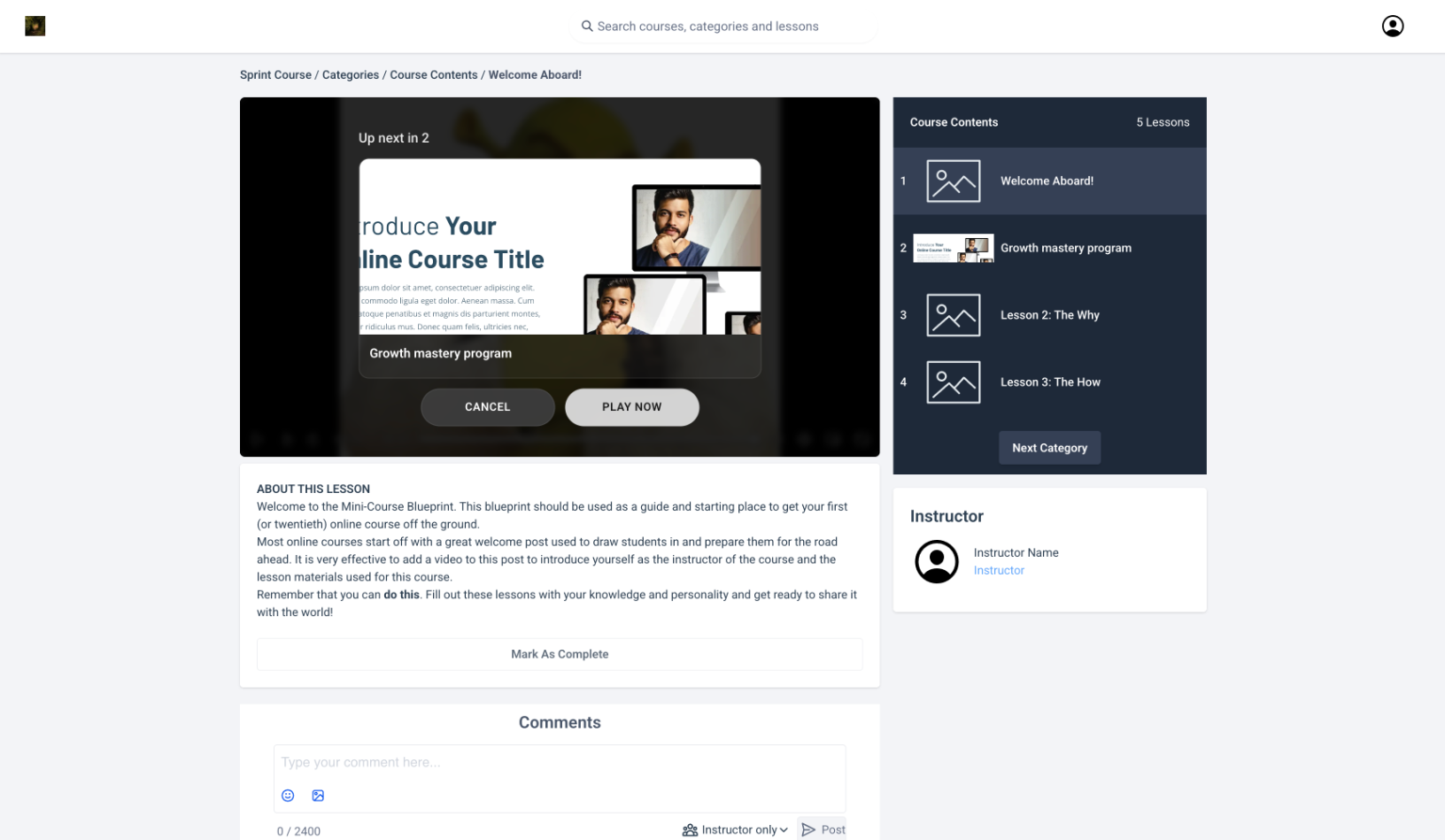
- Added “Up Next” overlay inside player:
- Displays next lesson thumbnail
- Shows countdown timer before auto-play
- Includes “Play Now” action to skip wait
- Updated lesson completion trigger for videos:
- Lessons now marked complete when sufficient progress is made and learner moves forward
Lesson Completion Improvements
- Enabled automatic completion for text lessons on navigation
- Reduced need for manual “Mark as Complete” actions
Learner Experience Controls (Course-Level)
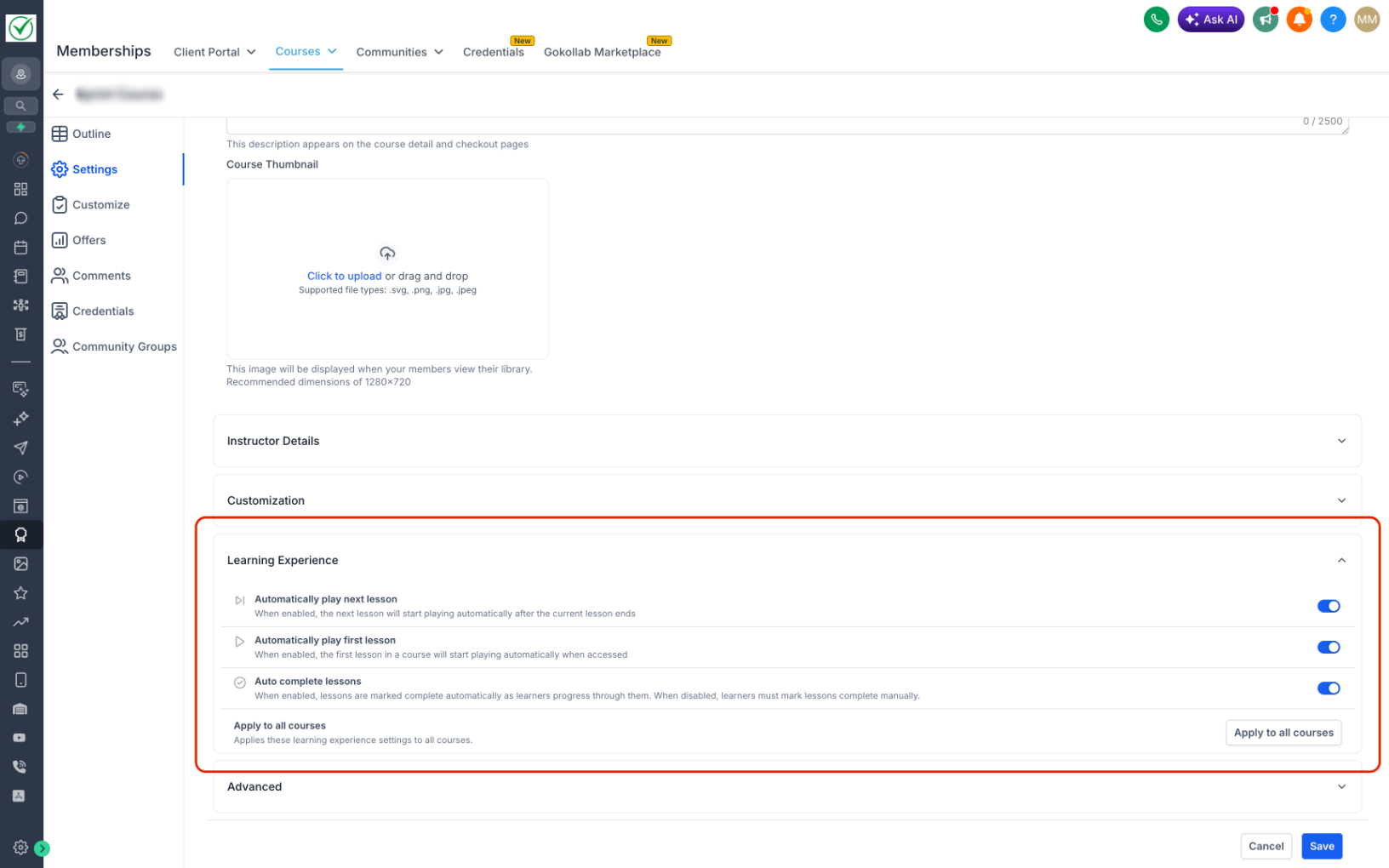
Added new configurable settings for creators:
- Added toggle: Auto-start first lesson
- Added toggle: Auto-play next lesson
- Added toggle: Auto-complete lessons
- Added option: Apply settings across all courses
User Experience Improvements
- Reduced friction in lesson navigation and progression
- Smoother, more continuous learning flow (binge-style experience)
- More intuitive transition between lessons
- Improved reliability of course progress tracking
Creator Impact
- Greater control over learning experience design per course
- Easier scaling of settings across multiple courses
Coming Soon
- Custom lesson completion thresholds
- Fully automated, hands-free course progression
Was this article helpful?
That’s Great!
Thank you for your feedback
Sorry! We couldn't be helpful
Thank you for your feedback
Feedback sent
We appreciate your effort and will try to fix the article