What’s New?
The
All-in-One Chat
Widget now supports Facebook, Instagram, and Voice AI
as selectable communication channels along with the existing ones.Under the
Chat Type selector
section under the Style
tab, allows users to choose exactly which channels should appear inside their unified chat experience.How It Works:
- Navigate to Sites > Chat Widget > Open an existing or create a new All in One Chat Widget > Style tab.
- Under Chat Type, you’ll see a new multi-select dropdown.
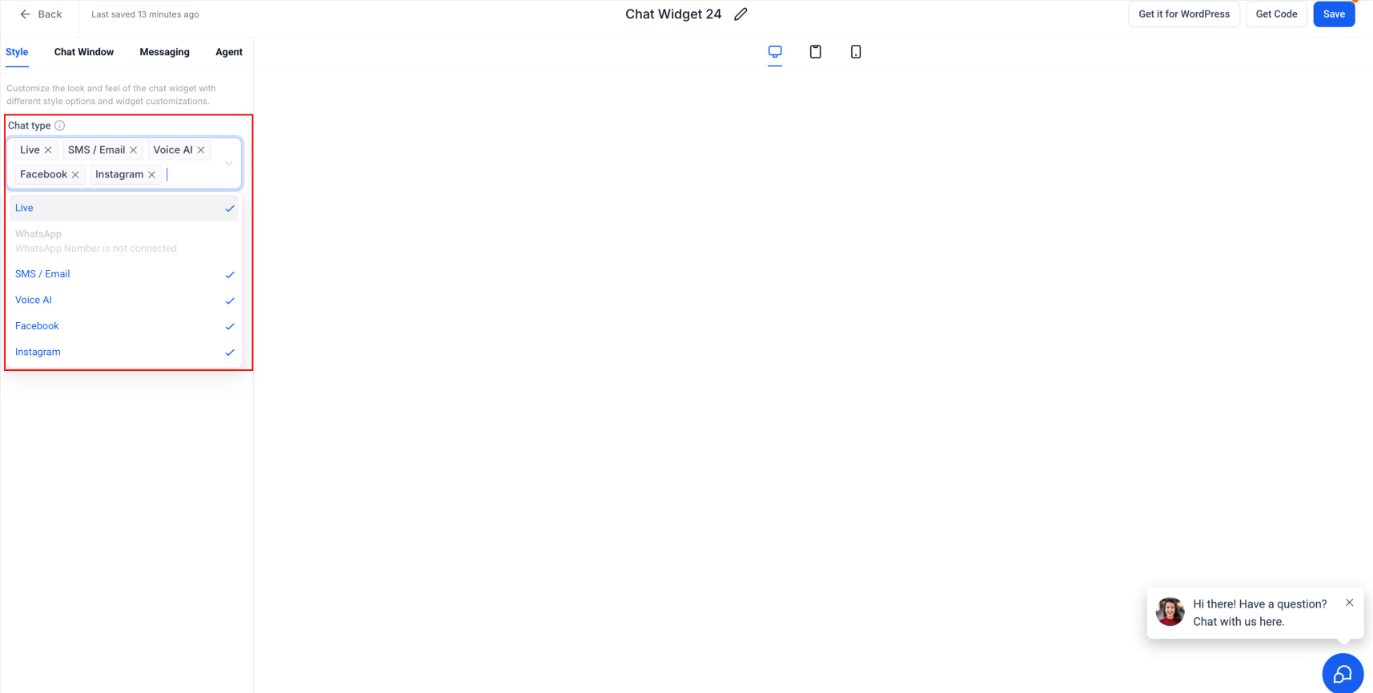
- Select any combination of:
- Live Chat
- SMS / Email
- Voice AI
- Facebook
- Instagram
- WhatsApp
- The preview updates instantly to reflect the chosen channels.
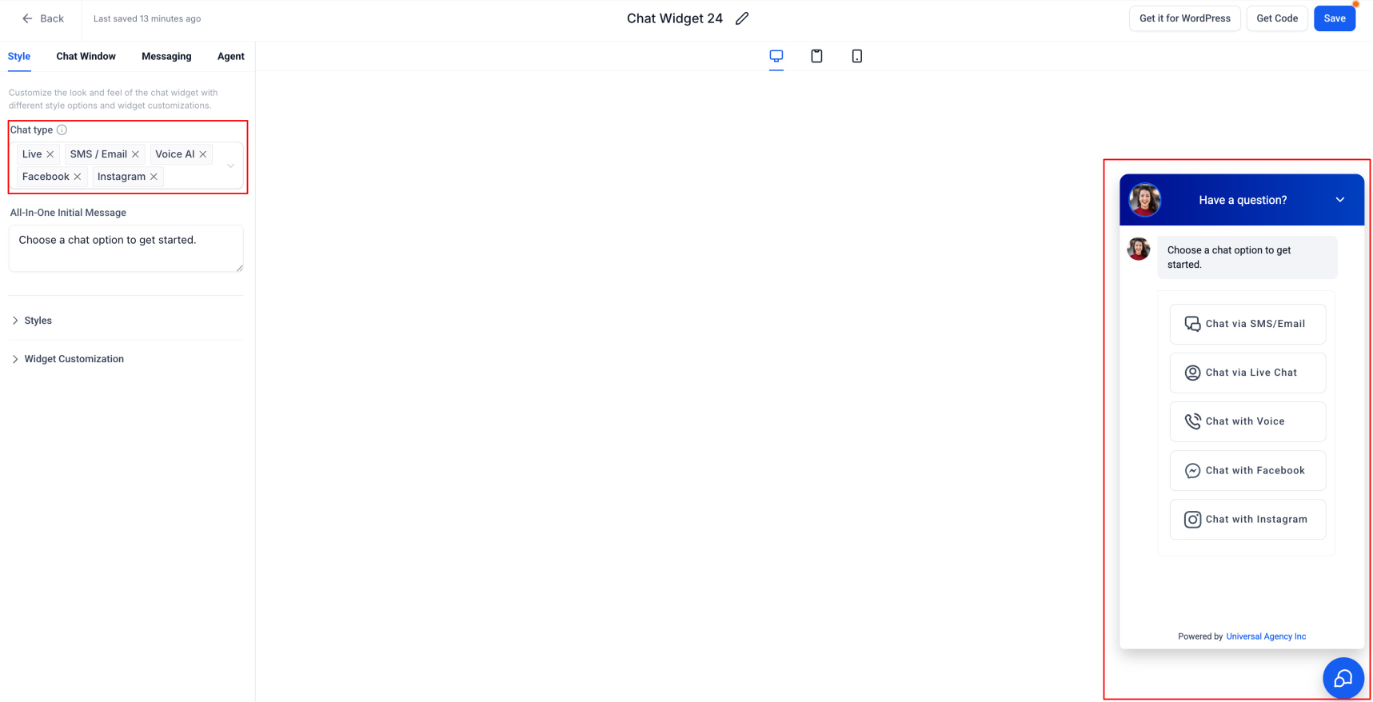
- Only the selected channels will appear inside the All-in-One Chat Widgetfor website visitors.
Why It Matters:
- Brings true multichannel communicationinto a single, clean widget.
- Gives businesses more control over the exact mix of channelsthey want to surface.
- Ensures a consistent and guided customer experience, especially for accounts with multiple integrations.
- Expands coverage to Facebook & Instagram messaging and Voice AI, all within one cohesive interface.
Notes:
- Facebook/Instagram options appear only if the respective pages/accounts are connected.
- Voice AI will appear only if the Voice AI is configured in your account.
- WhatsApp can be selected only if the WhatsApp number is connected in your account.
Was this article helpful?
That’s Great!
Thank you for your feedback
Sorry! We couldn't be helpful
Thank you for your feedback
Feedback sent
We appreciate your effort and will try to fix the article
